

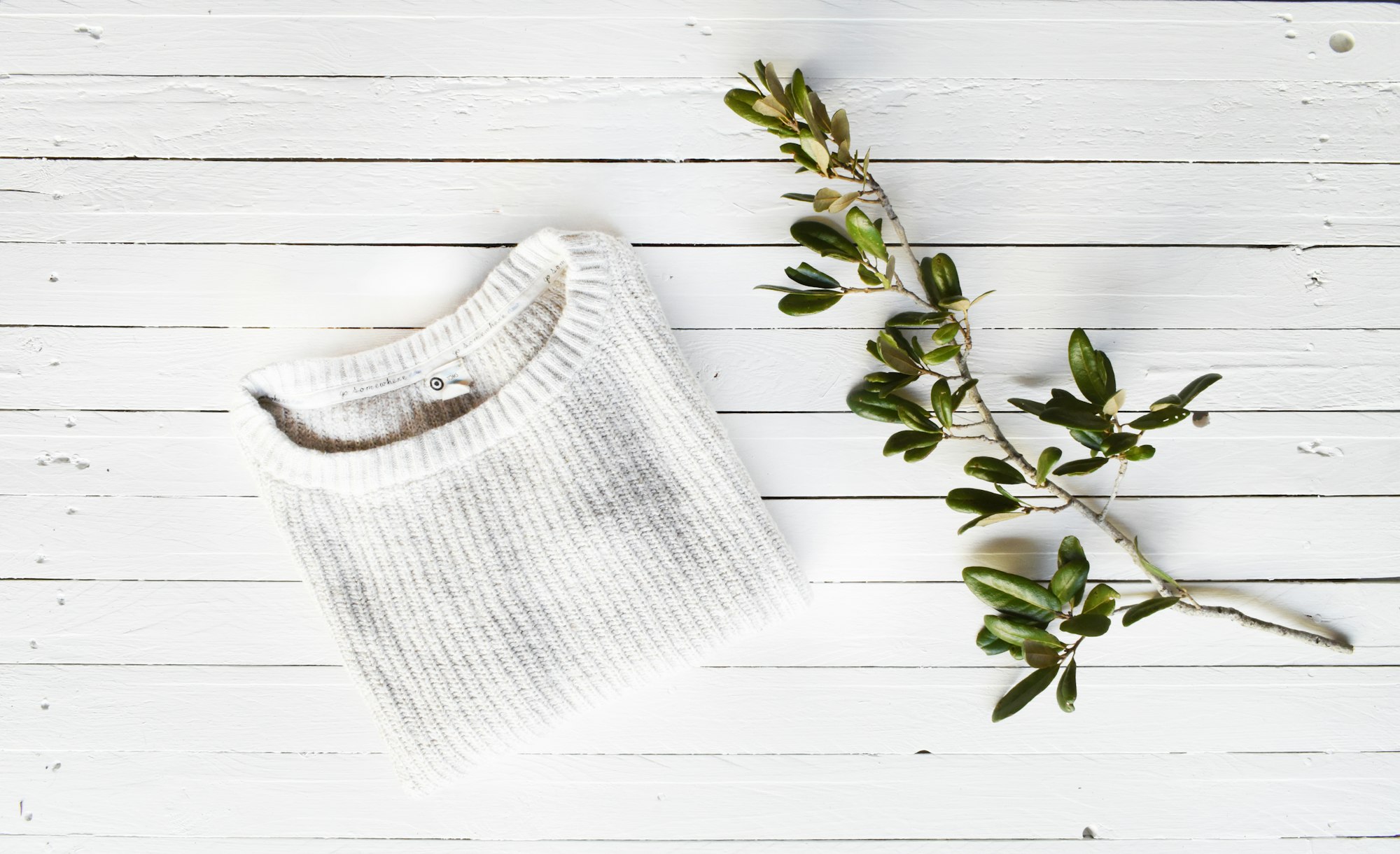
Photo: Shelter / Unsplash
A photograph of dog clothing can serve a practical purpose long after the original purchase. It can identify an item in a shared care record, show a label that is becoming difficult to read or help distinguish two similar garments. Those uses call for clarity rather than a dramatic setting. Most of the useful photographs can be taken with the garment laid out by itself, without asking a dog to model it.
Decide what the photograph must show
Start with the question the image is meant to answer. A general inventory photograph should identify the whole item, while a care record may need a separate close view of the label. A record of a fastening needs another angle. Trying to show everything in one frame can make every detail too small. Give each photograph a simple job, and keep only the views that help somebody recognize the item or understand its documented features.
Choose a plain working surface
Lay the item on a clean surface where its outline is easy to see. Remove unrelated objects that could make the image confusing or expose personal information. Arrange the garment without concealing its fastenings or changing its shape for appearance. A plain background is often enough. Check the screen for shadows, glare and cropped edges before taking more photographs. Better positioning can solve those problems without editing the product into something different from the item in hand.
Capture labels as separate records
Photograph each relevant label close enough for the text or symbols to remain readable. Preserve the original image rather than relying only on a typed summary. If the label is worn or partly obscured, describe that limitation in the record and seek the manufacturer's information where available. Do not use an image-editing tool to invent missing characters. A clear record of what cannot be read is more trustworthy than a confident but reconstructed instruction.
Name files so they stay connected
Use a short item identifier and a view description, such as blue-coat-front or blue-coat-care-label. Add a date when the photograph documents condition at a particular time. Store related images beside the item's inventory entry instead of scattering them across message threads. If a product is replaced, keep the older record distinguishable from the new item. Similar colors and filenames can otherwise make an outdated photograph look like evidence about a different garment.
Keep condition photographs factual
When documenting a seam, fastening or other concern, include both a close view and enough surrounding context to show where it appears. Describe what is visible without guessing the cause. These images may help explain a question to the manufacturer, but they do not establish product safety or replace an inspection. Avoid filtering, smoothing or retouching the area being documented. The value of a condition photograph is that it preserves an accurate observation at that moment.
Share only the relevant views
Before sending images to a seller or another household member, check the background and filenames for unnecessary personal details. Select the smallest useful set instead of forwarding an entire photo library. If a dog appears in an optional image, the session should remain comfortable and easy to stop; a flat garment photograph is usually sufficient for a record. A useful clothing photo collection is modest, clearly labeled and honest about what each image can actually demonstrate.
A Basic Shot List for Each Garment
A consistent set of views makes a photo collection easier to search and compare. Not every item needs every view, but a dependable starting list might include:
- Front, laid flat. The whole item visible, nothing folded under, nothing cropped at the edges.
- Back or underside. Useful when the two sides look different, or where fastenings sit underneath.
- Care label. Close enough to read every symbol and line of text.
- Size or product label. If it carries a product name, size or reference that the record uses.
- Fastenings. One clear view of each closure type, so their condition can be compared later.
- Distinguishing features. Anything that separates this item from a similar one, such as a different trim or pocket.
Taking the views in the same order every time makes it less likely that one gets forgotten, and makes filenames easier to assign.
Putting It Into Practice: Two Garments That Look Alike
A household has two dark rain layers that are easy to mix up. One has a replacement fastening and one does not. Laid side by side, they look almost identical in a general photo.
- Each garment is photographed separately on the same plain surface.
- The distinguishing detail, the fastening, gets its own close view for each item.
- Files are named by item and view, for instance “rain-layer-a-front,” “rain-layer-a-fastening,” “rain-layer-b-front” and “rain-layer-b-fastening.”
- Each inventory entry links to its own photos, and the description mentions the difference in plain words.
Now anyone looking at the record can tell the two items apart without needing to remember which one is which.
Mistakes That Make Photos Less Useful
- Trying to capture everything in one shot. Labels and fastenings end up too small to read.
- Using a patterned background. A busy surface can hide the outline of the garment.
- Relying on flash at close range. Glare can wash out label text. Indirect daylight or moving slightly to the side often helps.
- Editing a damaged label to look complete. The record should show what can actually be read.
- Leaving photos in chat threads. Images shared once in a message are hard to find later. Save copies beside the inventory entry.
- Forgetting the background. Mail, documents or screens in the frame can expose personal information when an image is shared.
Questions Readers Ask
Is a phone camera good enough?
For records like these, usually yes. A steady hand, good light and a check of the screen before moving on matter more than the camera.
Should old photos be deleted when an item is replaced?
Not necessarily. Keeping them clearly labeled as belonging to the earlier item can help if questions about it come up, as long as they cannot be confused with the new one.
Does a dog need to be in any of the photos?
No. A flat garment photo is enough for most records. If an optional image with the dog is taken, keep it brief and stop at any sign of discomfort.
Quick check
How much did you catch? Tap a question to see the answer.
1. Does an inventory photograph require a dog to model the garment?
Answer: No. Most useful garment records can be photographed laid flat.
2. How should missing label text be handled?
Answer: Record the limitation and seek reliable product information rather than inventing the missing text.
3. What should condition photographs avoid?
Answer: Filters or retouching that change the area being documented.






Leave a Reply